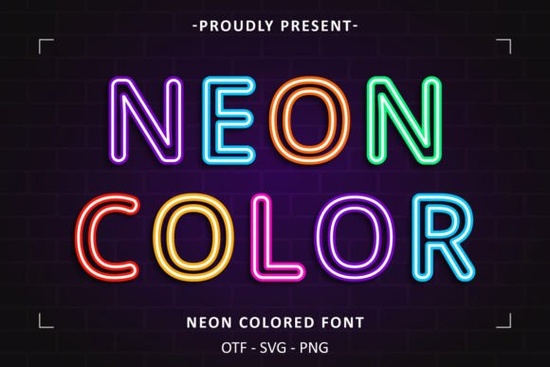
If you’ve ever walked through a city at night and felt drawn to the glow of neon signs, you’ll love what the Neon Colored Font brings to your creative projects. It’s not just another display typeface it’s built with those vivid, saturated hues and smooth curves that mimic real glowing signage. Whether you’re designing merch for print-on-demand, branding for a small café, or party invites for a friend’s birthday, this font adds instant personality without needing extra effects or layers.
What makes it especially handy is how ready-to-use it is. No need to manually color each letter or layer gradients the colors are baked right into the glyphs. That saves time if you’re juggling multiple client projects or running a side hustle with limited design hours.
Who actually benefits from using a pre-colored font like this?
It’s not just for flashy posters or nightclub flyers. Here’s where we’ve seen it shine:
- Print-on-demand sellers use it on t-shirts, mugs, and tote bags because the bold contrast pops even at small sizes.
- Small business owners add it to social media graphics, window decals, or menu boards to stand out without hiring a designer.
- Crafters and hobbyists drop it into Cricut or Silhouette projects for vinyl lettering that feels custom and electric.
- Event planners love it for birthday banners, milestone parties, or themed gatherings especially anything retro, urban, or nightlife-inspired.
You can browse more options like this in the colorful fonts collection, which includes variations with gradients, duotones, and animated styles if you want to experiment later.
Will it work with my software?
Yes as long as your program supports OpenType or TrueType fonts (which most do), you’re good to go. That includes:
- Adobe Photoshop, Illustrator, InDesign
- Canva (desktop and web)
- Silhouette Studio and Cricut Design Space
- Affinity apps, CorelDRAW, and even basic word processors
One tip: since the colors are part of the font file, avoid converting text to outlines unless you’re sure your output format preserves color data. For SVG or PNG exports, keep the text live until final export to maintain vibrancy.
How do I pair it with other typefaces?
Because Neon Colored Font is so visually loud, it works best as a headline or accent. Pair it with clean, neutral sans-serifs for body text think fonts like Montserrat or Roboto. Avoid pairing it with other decorative or script fonts; that can feel cluttered fast.
If you’re going for a full neon theme, consider adding simple geometric shapes behind the text circles, rectangles, or speech bubbles filled with dark backgrounds to make the letters truly glow. You don’t need fancy lighting effects; the font does most of the heavy lifting.
Is it worth buying over free alternatives?
Free neon-style fonts often lack embedded color, meaning you have to manually fill each letter or apply layer styles. That’s fine for one-off projects, but if you’re creating product lines, social templates, or client assets, the time savings alone justify the cost. Plus, licensed fonts from Creative Fabrica come with commercial rights, so you can safely use them on items you sell.
Another plus: updates and support. If the designer releases a new version with extra characters or fixed kerning, you’ll usually get access without repurchasing.
Any hidden tricks or tips?
A few small things that make a difference:
- Use all caps for maximum impact the letterforms were designed with uppercase spacing in mind.
- Try reducing opacity slightly (to around 90%) if placing over busy backgrounds it softens the edge without dulling the color.
- Export as PNG with transparent background if you need to overlay the text onto photos or videos.
- For physical crafts, test print or cut a sample first some neon tones may shift slightly depending on your printer or vinyl brand.
If you’re curious about similar styles, check out Glowvetica it’s got a softer, diffused glow that pairs well if you want to mix intensities.
Before you start designing, here’s a quick checklist:
- Install the font and restart your design app if needed.
- Test readability at the size you plan to use neon fonts can blur if scaled too small.
- Check licensing confirm your intended use (personal, POD, client work) is covered.
- Save a backup of your font file in case you switch computers or need to reinstall.
- Experiment with mockups sometimes the font looks even better on a dark textured background or with subtle motion in video.
Start simple. Pick one project maybe a flyer, an Instagram story, or a vinyl decal and let the font do the talking. You don’t need to overdesign it. Sometimes the most effective visuals are the ones that feel effortless.
Learn More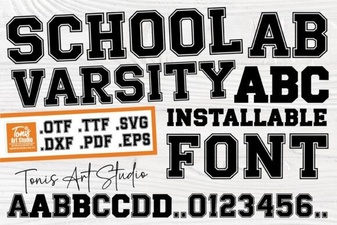 Fonts for School Athletics & Creative Projects
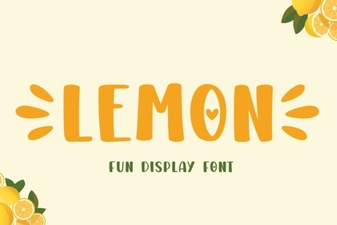 A Fresh Typography: Lemon Font for Modern Projects
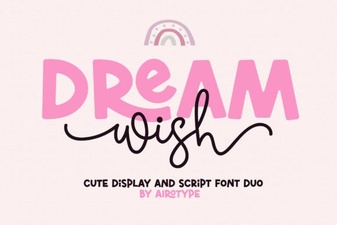 Dream Wish Font: Tips for Creative Design Projects
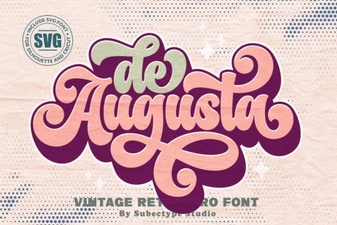 De Augusta Font: Design Tips & Creative Uses
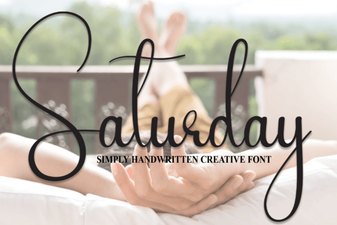 A Versatile Handwriting Font for Creative Projects
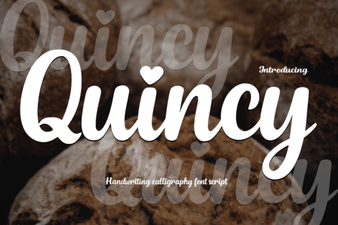 Discover Quincy Font: Creative Designs for Your Projects