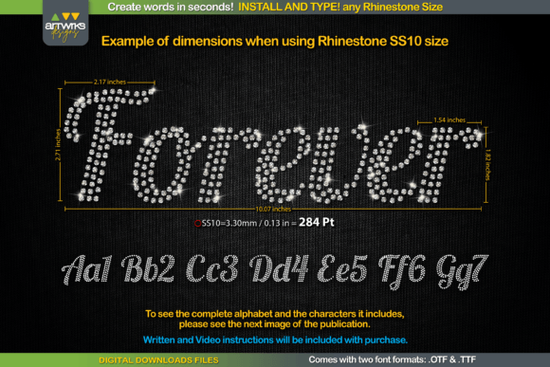
If you’ve ever spent hours placing rhinestones one by one or trying to align heat transfer vinyl letters just right, the Forever Font might be exactly what your workflow needs. It’s a script font designed specifically for crafters and designers who want to create sparkling, professional-looking text in seconds no manual tweaking required. Whether you’re making custom t-shirts, tote bags, tumblers, or holiday gifts, this font automatically fills each letter with perfectly spaced rhinestones or pre-traps them for HTV cutting.
What makes it especially handy is how it handles spacing and sizing behind the scenes. You type your word, and the design is ready to cut or print no extra steps. That kind of efficiency matters when you’re running a small business or juggling multiple custom orders. If you’ve used fonts like Farmhouse Pumpkin for rustic signs or Saturday for casual apparel, you’ll appreciate how Forever Font simplifies the embellishment process without sacrificing style.
Who actually benefits from using this font?
It’s not just for people with fancy machines or years of experience. Here’s who gets the most out of it:
- Print-on-demand sellers who need fast, scalable designs for mockups or production files.
- Craft fair vendors creating personalized gifts like monogrammed hats or baby onesies with bling.
- Small shop owners offering custom apparel or accessories think cheerleading gear, bridal party shirts, or pet bandanas.
- Hobbyists who enjoy making things for friends and family but don’t want to spend all night on tiny details.
Even if you’re just starting out with heat press or rhinestone application, this font removes the guesswork. No more wondering if your stones will fit inside the curves of an “S” or if your vinyl will lift at the edges. The spacing and trapping are built in.
How does it compare to other script fonts I already use?
Fonts like Lucky or Randy Sofia are beautiful for clean, flowing text but they weren’t made with rhinestones or HTV in mind. You’d still need to manually outline, offset, or place stones after typing. Forever Font skips those steps entirely.
And if you’ve tried fonts aimed at kids’ crafts maybe something like Child you know how tricky it can be to scale or adapt them for sparkle work. This one was engineered from the ground up for that purpose.
Can I use it with my current software?
Yes as long as your design program supports .OTF or .TTF files (which most do), you’re good to go. Think Silhouette Studio, Cricut Design Space, Adobe Illustrator, or even Canva Pro. Just install the font like any other, start typing, and watch the magic happen. Each character auto-fills with simulated rhinestone placement or prepped HTV paths, depending on which version you choose.
Some users like to tweak the size or kerning slightly for specific projects, and that’s totally fine. But even straight out of the box, it’s designed to look polished without adjustment.
What kinds of projects work best with Forever Font?
Here are a few real-world examples people are using it for:
- Bridal party shirts with names in shimmering script
- Team spirit wear cheer, dance, or sports squads with sparkly logos
- Personalized baby items like bibs, onesies, or milestone blankets
- Holiday décor think Valentine’s Day mugs or Christmas stockings with names
- Pet accessories yes, even dog bandanas with blinged-out names
The key is that the font keeps everything aligned and proportional, so your final product looks intentional not slapped together. That professionalism helps when you’re selling your creations or giving them as gifts.
Any tips before I start using it?
A few practical things to keep in mind:
- Test print or cut a single letter first especially if you’re new to rhinestones or HTV. Make sure your material and machine settings match the design density.
- Use contrasting backgrounds light text on dark fabric (or vice versa) helps the sparkle stand out.
- Pair it with simple shapes or icons since the font does the heavy lifting, you don’t need busy graphics around it.
- Save your favorites as templates once you find a size or phrase you love, save it as a reusable file to speed up future orders.
And remember while it’s called “Forever,” you don’t need to commit to one style forever. Mix it with other fonts for contrast. Use it for headlines and pair it with a clean sans-serif for body text. Flexibility is part of the fun.
Next step: Install the font, open your design software, and type your name. See how it looks filled with sparkle or ready to cut. Then make something someone will love fast.
Explore Design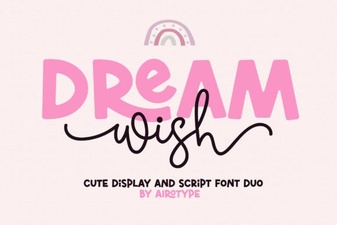 Dream Wish Font: Tips for Creative Design Projects
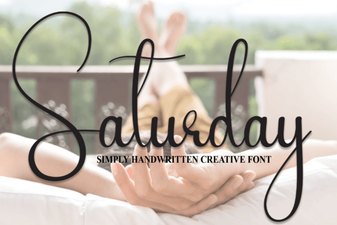 A Versatile Handwriting Font for Creative Projects
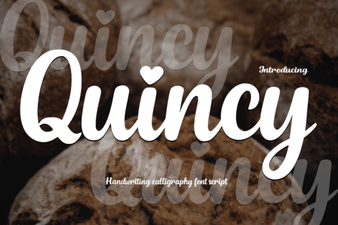 Discover Quincy Font: Creative Designs for Your Projects
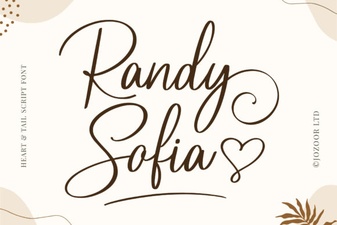 Randy Sofia Font: Download & Creative Uses
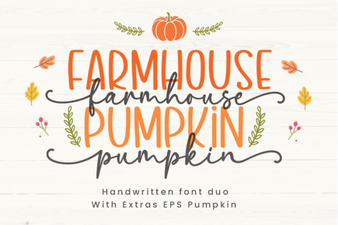 Crafting Fall Projects with Farmhouse Pumpkin Font
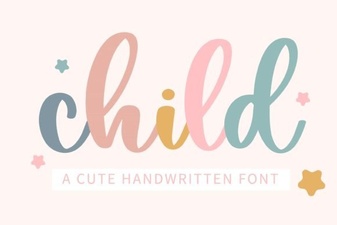 Child Fonts for Playful and Usable Design